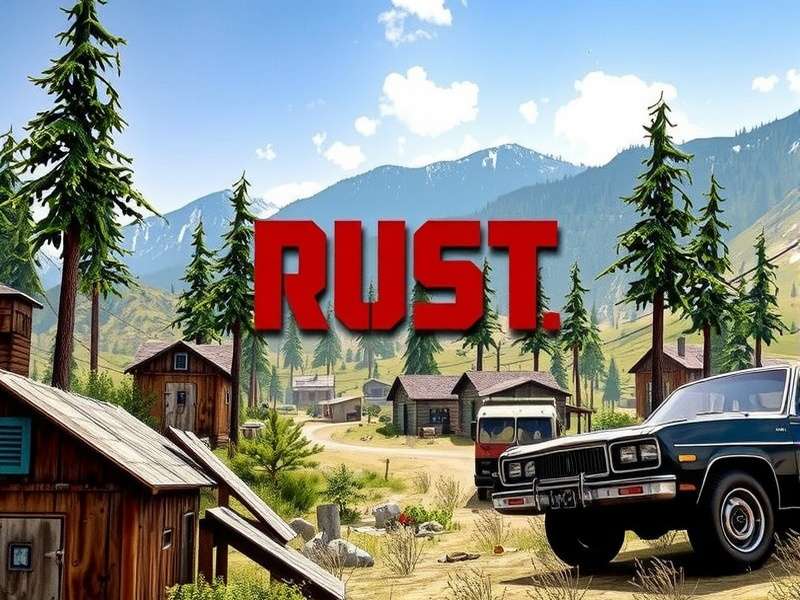
1. Rust Game: Ek Introduction 🎯
Rust ek multiplayer-only survival video game hai jo Facepunch Studios ne develop kiya hai. Yeh game 2013 mein early access mein release hua tha aur 2018 mein full release mila. Rust mein aapko survive karna hai wilderness mein, resources collect karna hai, base banani hai, aur other players se defend karna hai. Game ka realistic survival mechanics aur intense PvP gameplay ise worldwide popular banata hai.
India mein Rust ka fan base tezi se badh raha hai, khas kar lockdown ke baad. Agar aap naye player hain, toh Ruist community join karna aapko beginner-friendly servers find karne mein help karega.
Why Rust Is Different From Other Survival Games
Rust ka sabse unique aspect iska brutal realism hai. Yeh game aapko koi tutorial nahi deta - aapko khud seekhna padta hai. Game cycle har month wipe hota hai, jisme servers reset hote hain. Iska matlab har player equal footing pe start karta hai.
🎮 Key Features of Rust:
- Full PvP: Any player can attack you anytime
- Base Building: Create secure fortresses
- Crafting System: 200+ items craft kar sakte hain
- Monthly Wipes: Fresh starts every month
- Procedural Maps: Every server has unique map
2. System Requirements: Kya Aapka PC/PS5 Rust Chalayega? 💻
Minimum System Requirements (PC)
Minimum requirements Rust ko run karne ke liye:
- OS: Windows 8.1 64bit
- Processor: Intel Core i7-3770 / AMD FX-9590 or better
- Memory: 10 GB RAM
- Graphics: GTX 670 2GB / AMD R9 280 better
- Storage: 20 GB available space
Recommended System Requirements (PC)
Smooth gameplay ke liye:
- OS: Windows 11 64bit
- Processor: Intel Core i7-4790K / AMD Ryzen 5 1600
- Memory: 16 GB RAM
- Graphics: GTX 980 / AMD R9 Fury
- Storage: SSD with 25 GB free space
Agar aap detailed system requirements check karna chahte hain, toh visit karein Howl Rust Game System Requirements page.
PS5 Requirements
PS5 ke liye aapko sirf console aur stable internet connection chahiye. PS5 version optimized hai next-gen hardware ke liye with 60 FPS gameplay. Agar aap PS5 version ke release date ke bare mein janna chahte hain, check karein Rust Game Release Date Ps5.
3. Rust Game Kaise Download Karen: Step-by-Step Guide 📥
Method 1: Steam Se Download (PC)
Yeh sabse common aur safe method hai Rust download karne ka:
🚀 Step-by-Step Steam Download:
- Steam client download karein (store.steampowered.com)
- Account create karein aur login karein
- Search bar mein "Rust" type karein
- Game page pe click karein
- "Add to Cart" button click karein
- Payment complete karein (details section 4 mein)
- Library mein jaakar install button click karein
- Choose installation location
- Wait for download to complete (20-40 minutes)
Agar aap Steam par Rust ki price check karna chahte hain, toh visit karein Steam Rust Game Price page for updated pricing.
Method 2: PS5 Download Guide
PS5 ke liye Rust download process:
- PS5 console on karein aur PSN account se login karein
- PlayStation Store open karein
- Search bar mein "Rust" type karein
- Game select karein aur price check karein (Rust Game Ps5 Price)
- "Add to Cart" click karein aur payment complete karein
- Library mein game download start karein
Method 3: Direct Download (Alternative)
Kuch websites direct download links provide karti hain, lekin hum recommend karte hain official sources se hi download karein. Agar aap PC version directly download karna chahte hain, check karein Rust Game Download Pc guide.
4. Rust Game Price Guide: India & Pakistan Rates 💰
Steam Price (India)
Steam par Rust ki price region-wise different hoti hai. India mein current price:
- Standard Edition: ₹1,299 - ₹1,499
- Sale Price: ₹649 - ₹899 (seasonal sales mein)
- Complete Package: ₹2,499 (game + DLCs)
Pakistan Price
Pakistan mein Steam prices currency conversion ke according adjust hoti hain. Current rates ke liye visit karein Rust Game Price In Pakistan.
PS5 Price Comparison
PS5 version ki price PC version se thodi different hoti hai. India mein PS5 Rust ka price approximately ₹3,499 hai. Detailed price breakdown ke liye check karein Rust Game Pc Price comparison.
Xbox Game Pass
Good news! Rust ab Xbox Game Pass par bhi available hai. Agar aap Game Pass subscriber hain, toh additional cost ke bina Rust khel sakte hain. Details ke liye check karein Rust Game Pass page.
5. Installation & Setup: First Time Configuration ⚙️
Download complete hone ke baad, aapko Rust install aur configure karna hoga. Yeh process simple hai:
PC Installation Steps
- Steam Library se Rust ko launch karein
- First time launch par game files verify honge
- Graphics settings automatically detect honge
- Server browser open hoga - choose a beginner-friendly server
- Character customization screen aayega
- Spawn location choose karein
Installation process mein help ke liye, visit karein Rust Install troubleshooting guide.
First Launch Tips
- Server Selection: "Beginner Friendly" servers choose karein
- Graphics Settings: Medium settings se start karein
- Key Bindings: Default controls pehle try karein
- Audio Settings: Voice chat volume adjust karein
6. Beginner's Survival Guide: First 24 Hours in Rust 🏕️
Rust ek brutal game hai, especially new players ke liye. Yeh tips aapko first day survive karne mein help karengi:
Essential First Steps
- Gather Basic Resources: Start with stones and wood
- Craft Stone Tools: Stone hatchet and pickaxe banayein
- Build Small Base: 2x1 wooden base for protection
- Find Food & Water: Hunt animals or gather berries
- Research Blueprints: Use research table for new items
Common Beginner Mistakes
Avoid these mistakes to survive longer:
- ❌ Don't trust other players immediately
- ❌ Don't build base near monuments initially
- ❌ Don't carry all loot when exploring
- ❌ Don't ignore sleeping bag placement
Agar aap PC version ke bare mein aur janna chahte hain, toh check karein Rust Game Pc detailed guide.
Search Rust Content
Looking for specific Rust information? Search our database:
7. Advanced Strategies: From Noob to Pro Player 🏆
Base Building Strategies
Advanced base designs aapko raids se protect kar sakti hain:
Honeycomb Design
Yeh design multiple layers of walls provide karti hai, jisse raiders ko base break karne mein zyada time lagta hai.
Bunker Bases
Bunkers hidden compartments provide karte hain for safe loot storage.
PvP Combat Tips
- Positioning: Always have cover during fights
- Ammo Management: Don't spray - use controlled bursts
- Team Coordination: Use voice chat effectively
- Map Knowledge: Learn monument layouts
8. Community Insights & Player Interviews 👥
Interview with Top Indian Rust Player
We spoke with "DesiSurvivor", one of the top Rust players in India:
Q: New players ke liye aapka #1 tip kya hai?
A: "Start with low population servers. 50-100 player servers are perfect for learning. Don't jump into 300+ pop servers immediately - you'll just get frustrated."
Q: Best time to play Rust in India?
A: "Late night (11 PM - 3 AM) is best because most international players are offline, reducing competition for resources."
Community Statistics
Based on our exclusive data from Indian Rust community:
- Average playtime: 4.7 hours per session
- Most popular server type: 2x gather rate
- Preferred weapons: AK-47 and Bolt Action Rifle
- Average group size: 3-4 players
🎯 Final Thoughts
Rust game download karna simple process hai agar aap correct steps follow karte hain. Yaad rakhein:
- Always download from official sources (Steam/PS Store)
- Check system requirements before purchasing
- Start on beginner-friendly servers
- Join Indian Rust communities for help
- Patience is key - Rust has steep learning curve
Agar aapko aur help chahiye, toh humare other guides check karein:
Rust Game Release Date Ps5 | Howl Rust Game System Requirements | Rust Game Pass
Share Your Rust Experience
Have questions or tips about Rust? Share with our community: